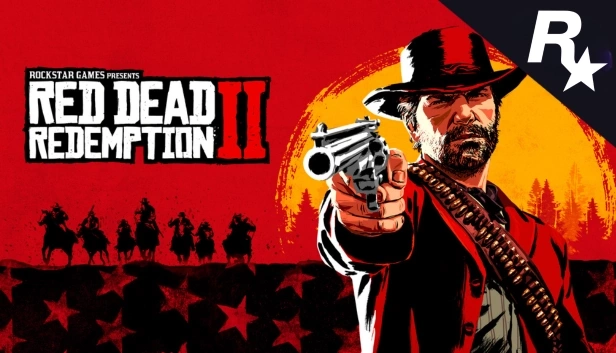
Red Dead Redemption 2 | ROCKSTAR (CD KEY)
Descrição
Your game. On your own Rockstar account.
You are buying a genuine activation code for the Rockstar Games Launcher. Once payment is confirmed, the code appears in your order, ready to be redeemed straight on your Rockstar Games account.
What is a Rockstar code?
It is a unique activation code used to add a game to your Rockstar Games account.
Is it a ready made account?
No. You get a code to activate the product on your own Rockstar Games account.
Does it stay on my account?
Yes. After redemption, the code's content is applied to the Rockstar Games account used for activation.
Make the payment
Complete your purchase as usual through the GStarz checkout.
Get your code
Once payment is confirmed, the code shows up automatically in your order.
Open the Rockstar Launcher
Sign in to the Rockstar Games account where you want the game and use the redeem code option.
Game added
After you confirm, the content is applied to the account used for the redemption.
Where will I get the code?
The activation code is delivered straight to the order placed at GStarz once payment is confirmed.
No waiting.
You do not have to wait for someone to send the code by hand. Once approved, the product is right there in your order.
Genuine. Official. No fuss.
GStarz works only with genuine codes from official distributors. Redemption goes through Rockstar Games' own official channels. No alternative method is needed to activate the product.
⚠ Important note about activation
GStarz will never ask you to run commands in PowerShell, CMD or any other terminal to activate your purchase.
- Activation must follow Rockstar Games' official procedure.
- Never share your Rockstar Games password or login details with anyone else.
- GStarz will never ask you to install activators, cracks, executables or suspicious files.
- Be suspicious of anyone asking you to do anything other than the official activation method.
Open the Rockstar Launcher
Open the Rockstar Games Launcher and sign in to the Rockstar Games account where you want to activate the product.
Select "Redeem Code"
Click your avatar in the top right corner and pick the option Redeem Code.
Enter the code
Copy the code from your order, type it into the field shown and use the verify option.
Confirm the activation
Check that the game and the account are right, then confirm the redemption. The product is added to the account.
What am I buying?
Is the code genuine?
Do I need to install any program to activate it?
Where do I get my code?
Does the code get tied to my account?
Can I activate it on any Rockstar account?
What if I activate it on the wrong account?
What do I do if the code gives an error?
Purchase terms
By completing the purchase, the customer confirms having read and accepted the product conditions and the GStarz terms.
- Check the platform, region and the rest of the product conditions before buying.
- Make sure you are signed in to the right Rockstar Games account before confirming.
- Activation codes are single use.
- Once redeemed, the content belongs to the account used for activation, following Rockstar Games' rules.
- Do not share the code with anyone after you receive it.
- If something goes wrong, contact GStarz support before trying anything else.
Por favor, leia a descrição cuidadosamente antes de comprar e se você tiver alguma dúvida, não hesite em contactar-nos.