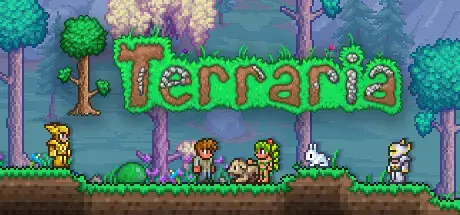
Terraria | STEAM (GIFT KEY)
Descrição
Your Game. Straight into your account.
You are buying an official digital gift for Steam. Once payment is confirmed, you get a private link to open the gift and add the game straight to your own Steam account.
What is a Steam Gift?
It is a digital gift that adds a game to your Steam library through a redemption link.
Do I have to add anyone?
No. With this product you get the gift link directly. There is no need to add GStarz as a friend on Steam.
Does it stay on my account?
Yes. Once you accept the gift, the game joins the library of whichever Steam account accepted it.
Make the payment
Complete your purchase as usual through the GStarz checkout.
Get the link
Once payment is confirmed, the gift link is right there in your order.
Open the gift
Open the link you received and sign in to the Steam account where you want the game.
Accept the gift
Confirm you accept it and the game is added to your Steam library.
Where will I get the gift?
The link to the gift is delivered straight to the order placed at GStarz once payment is confirmed.
No friend requests needed.
You do not need to add GStarz as a friend on Steam, and you never give us your password or login details. Just use the link from your order.
Official. Simple. No fuss.
GStarz works with digital gifts meant to be activated on Steam. Everything runs through Steam's own official gifting flow. You never install programs, run commands or hand over access to your account to receive the product.
⚠ Important note about receiving it
GStarz will never ask for your Steam password to deliver or activate the product. We also never ask for PowerShell, CMD, executables, cracks, activators or external files.
- The product is delivered through a gift link.
- You must be signed in to the Steam account where you want the game before accepting the gift.
- Check the Steam account carefully before accepting.
- Never post your gift link in public.
- You never need to give GStarz access to your account.
Open your order
Go to your GStarz order and copy the gift link that appears once it is confirmed.
Open the link
Open the gift link and sign in to the Steam account where you want the game.
Check your account
Before accepting, make sure you are signed in to the right Steam account.
Accept the gift
Confirm you accept it. Once accepted, the game joins your Steam library.
What am I buying?
Do I have to add GStarz as a friend on Steam?
Do I have to give you my Steam password?
Where do I get the link?
Does the game stay on my account forever?
Can I open the link on any account?
Do I need to install any program?
What do I do if the link has a problem?
Purchase terms
By completing the purchase, the customer confirms having read and accepted the product conditions and the GStarz terms.
- Check the platform and the product conditions before buying.
- Make sure you are signed in to the right Steam account before accepting the gift.
- Do not share the gift link with anyone.
- Once the gift is accepted, the game goes to the Steam account that claimed it.
- Never give your password or any account access details to anyone.
- If something goes wrong, contact GStarz support before trying anything else.
Por favor, leia a descrição cuidadosamente antes de comprar e se você tiver alguma dúvida, não hesite em contactar-nos.